
Data collected over 90 days using SitSense webcam posture tracking.
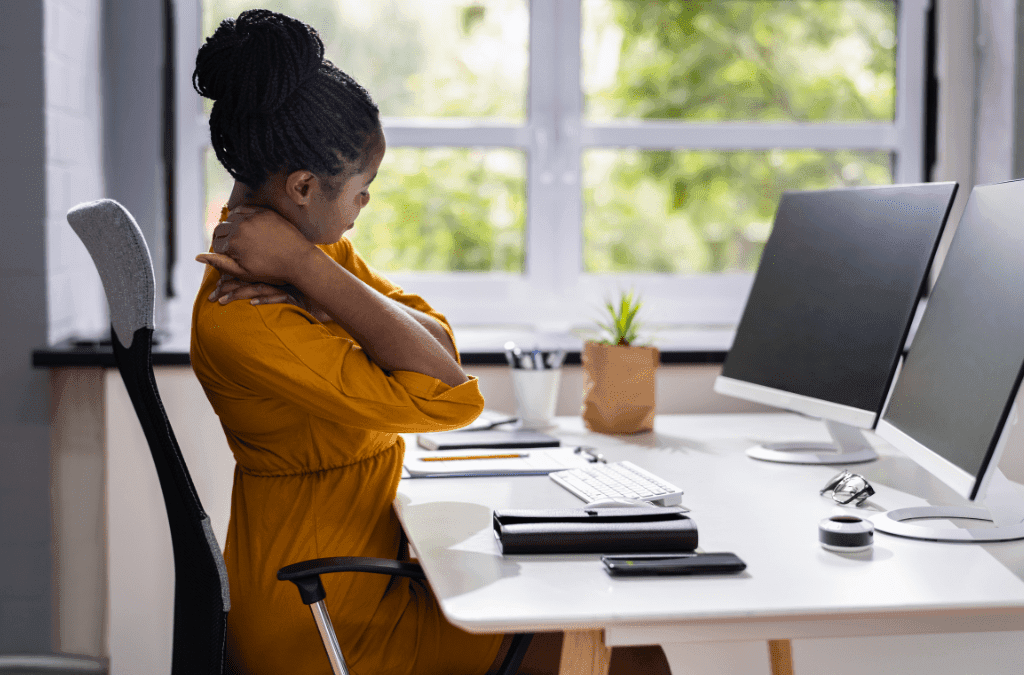
We analyzed 29,103 posture readings from 66 remote workers tracked via webcam AI over 90 days. The result: remote workers spend 68% of their desk time in poor posture, with the sharpest decline happening between hours 2 and 4 of continuous sitting.
We do. Over the last 90 days, SitSense collected 29,103 posture readings from 66 people working at their desks — not in a lab, not with wearables. Just a standard webcam, AI pose estimation, and real work sessions: meetings, coding, writing, scrolling.
Each reading captures 6 angles simultaneously — neck flexion, head-neck alignment, forward head position, shoulder balance, head tilt, and neck rotation. That's over 170,000 individual angle measurements. Here's what the data actually shows.
How we measured this
SitSense uses browser-based AI pose estimation (MediaPipe) to track 6 posture metrics from a standard webcam in real time:
- Neck angle (up/down flexion)
- Head-neck alignment (CVA)
- Forward head position
- Shoulder imbalance
- Lateral head tilt
- Neck rotation
Each metric is scored as good, fair, or poor based on clinical angle thresholds. The system calibrates to each user's neutral posture first, then measures deviations. All processing happens in the browser — no video is recorded or stored.
Dataset: 29,103 readings across 272 sessions from Nov 2025 – Feb 2026. Low-confidence readings (<0.3) excluded.
Key Findings at a Glance
47.7% of tracked posture was sub-optimal
Only 52.3% of time was spent in properly aligned posture. 33.1% was "fair" — drifting but not painful yet. 14.6% was "poor" — actively straining your neck and back.
Posture quality drops from 64% good to 31% in under an hour
In the first 10 minutes, 63.8% of readings were "good." By the 45-minute mark, that dropped to 31.3%. The sharpest decline happens between minutes 20 and 30.
The #1 problem: head-neck alignment — not "tech neck"
Head-neck alignment (CVA) was flagged as "poor" in 12.8% of readings — 8.5x more often than forward head position (1.5%). The subtle angle is doing far more damage than the dramatic slouch.
Overall Posture Distribution (29,103 readings)
Based on 29,103 posture readings from 66 users over 90 days. "Poor" means at least one metric exceeded clinical strain thresholds.
Your Posture Collapses After 20 Minutes
This was the clearest pattern in the data. When people start a work session, their posture is relatively good. Then it gradually deteriorates. The sharpest drop happens between minutes 20 and 30 — and it never recovers.
% of Readings Rated "Good" by Time Into Session
% of readings classified as "good" within each time window. Sample sizes shown in parentheses. Clear inflection at the 20-minute mark.
By the 30-45 minute mark, "poor" readings nearly doubled compared to the first 10 minutes (19.7% vs 10.4%). Meanwhile, "good" posture dropped by 40% — from 63.8% to 38.3%.
This matches research published in Frontiers in Cognition showing that brain blood flow decreases with uninterrupted sitting — but short walking breaks every 30 minutes prevent the decline entirely. Our posture data tells the same story from a different angle: your body literally drifts out of alignment if you don't reset.
Takeaway
Set a timer for 20-30 minutes. When it goes off, stand up, roll your shoulders, and reset your position. This single habit matters more than any expensive chair or gadget.
The #1 Metric Wrecking Your Neck (Not What You Think)
When most people think "bad posture," they picture the classic "tech neck" — head jutting forward toward the screen. But in 29,000+ readings, the most common problem was actually head-neck alignment (CVA angle): a clinical measure of how well your head sits centered over your cervical spine.
At 12.8% of readings flagged "poor," it was 8.5x more common than forward head position (1.5%). This misalignment happens subtly — a few degrees of tilt to read small text, craning slightly during a video call, looking down at a laptop screen. None of it feels extreme, but it loads your neck muscles for hours.
% of Readings Rated "Poor" by Metric
Higher % = more readings exceeding clinical "poor" thresholds. CVA (head-neck alignment) dominates at 12.8%.
55% of SitSense users report "neck" as their primary concern in onboarding — more than back (27%), shoulders (10%), and focus (8%) combined. The data confirms their instinct: the neck is where the most strain accumulates.
The practical implication: screen height matters more than almost anything else. If the top of your screen isn't at eye level, you're creating the exact misalignment that dominates this dataset. A $15 laptop stand addresses the #1 problem.
For a deeper look at forward head posture, see our tech neck deep dive.
See which of these 6 metrics is your weakest
SitSense tracks the exact same metrics from this study — head-neck alignment, shoulder balance, forward head position, and more — using just your webcam. No hardware, no app to install. It runs in your browser, scores your posture in real time, and nudges you before strain builds up.
Free to try — takes 30 seconds to start. See how it works
When Your Posture Is Worst (Not When You Think)
We expected the classic "2 PM afternoon slump" to dominate the hourly data. It didn't. Instead, two other time windows stood out:
Late night: 10 PM – 2 AM
The worst single hour was 10 PM (32.6% poor), followed by 2 AM (27.5%) and midnight (20.6%). Late-night remote work — the "just one more thing" sessions — produced dramatically worse posture than any other time window.
Early morning: 7 – 8 AM
The 7 AM hour showed 17.9% poor readings, and 8 AM had only 37.3% "good" posture — worse than the afternoon. The body hasn't warmed up yet, and many people sit down at their desk immediately.
% of Readings Rated "Poor" by Hour
Higher bar = worse posture at that hour. Only hours with 500+ readings shown.
The likely explanation: fatigue. By 10 PM, you've been working all day. You're tired, your muscles are exhausted, and you're probably slouched on the couch or hunched over a laptop in bed. The physical infrastructure of "I'll just check one more email" is terrible for your spine.
Takeaway
If you're going to work late, at minimum stay at your desk instead of moving to the couch. Better yet: set a hard cutoff. The posture data suggests anything after 10 PM is doing real physical damage.
Bonus Finding: Posture by Day of Week
Wednesday had the best posture (66.7% good). Monday had the worst (42.9% good). Weekend work — especially Sunday — also showed elevated strain, likely from more casual setups.
Why Remote Workers Get Hit Hardest
This data comes from people working at real home desks — not ergonomic lab setups. Remote workers face structural disadvantages that compound every finding above:
Laptops are the default device
A laptop screen sits well below eye level. This forces exactly the head-neck misalignment (CVA) that our data flags most often. In an office, IT might give you an external monitor. At home, you're on your own.
No ergonomic setup by default
Kitchen tables, couches, beds — many remote workers don't have a dedicated desk, let alone one that's ergonomically configured. Without the right screen height, chair height, and keyboard position, poor posture is nearly inevitable.
Fewer natural movement triggers
In an office, you walk to meeting rooms, the coffee machine, a colleague's desk. Those micro-breaks force position changes. At home, you can sit in the same spot for hours — and our session degradation data shows exactly what happens when you do.
The "just one more email" trap
Remote work blurs the line between work and rest. Our data shows posture is worst between 10 PM and 2 AM — when people are "quickly checking" things from the couch or bed. There's no commute to force a shutdown.
What Actually Helped (Based on the Data)
The data points to three interventions with the biggest impact. None of them are expensive.
1Raise your screen to eye level
Head-neck alignment was the #1 problem — 12.8% of all readings. This is directly caused by looking down at a screen that's too low. A laptop stand, a stack of books, or an external monitor addresses this immediately.
Cost: $0 (books) to $30 (laptop stand). Addresses the single largest strain driver in the dataset.
2Take a movement break every 20 minutes
The session degradation data is unambiguous: "good" posture drops from 64% to under 50% at the 20-minute mark. A 2-minute break to stand, stretch, and reset prevents the decline.
Research from Frontiers in Cognition backs this up from the brain side: walking breaks every 30 minutes prevent the decline in cerebral blood flow entirely.
3Stop working from the couch after 10 PM
The hourly data is stark: 32.6% of 10 PM readings were "poor" vs ~8% during core work hours. If you must work late, stay at your desk. The couch and bed aren't doing you any favors.
The 2-Minute Remote Worker Reset
Do this every time your timer goes off:
Stand up
Just getting vertical resets your spine
5 chin tucks
Pull chin straight back (double chin). Hold 3 seconds each.
10 shoulder rolls
Backward circles. Opens up the chest.
Sit back down aligned
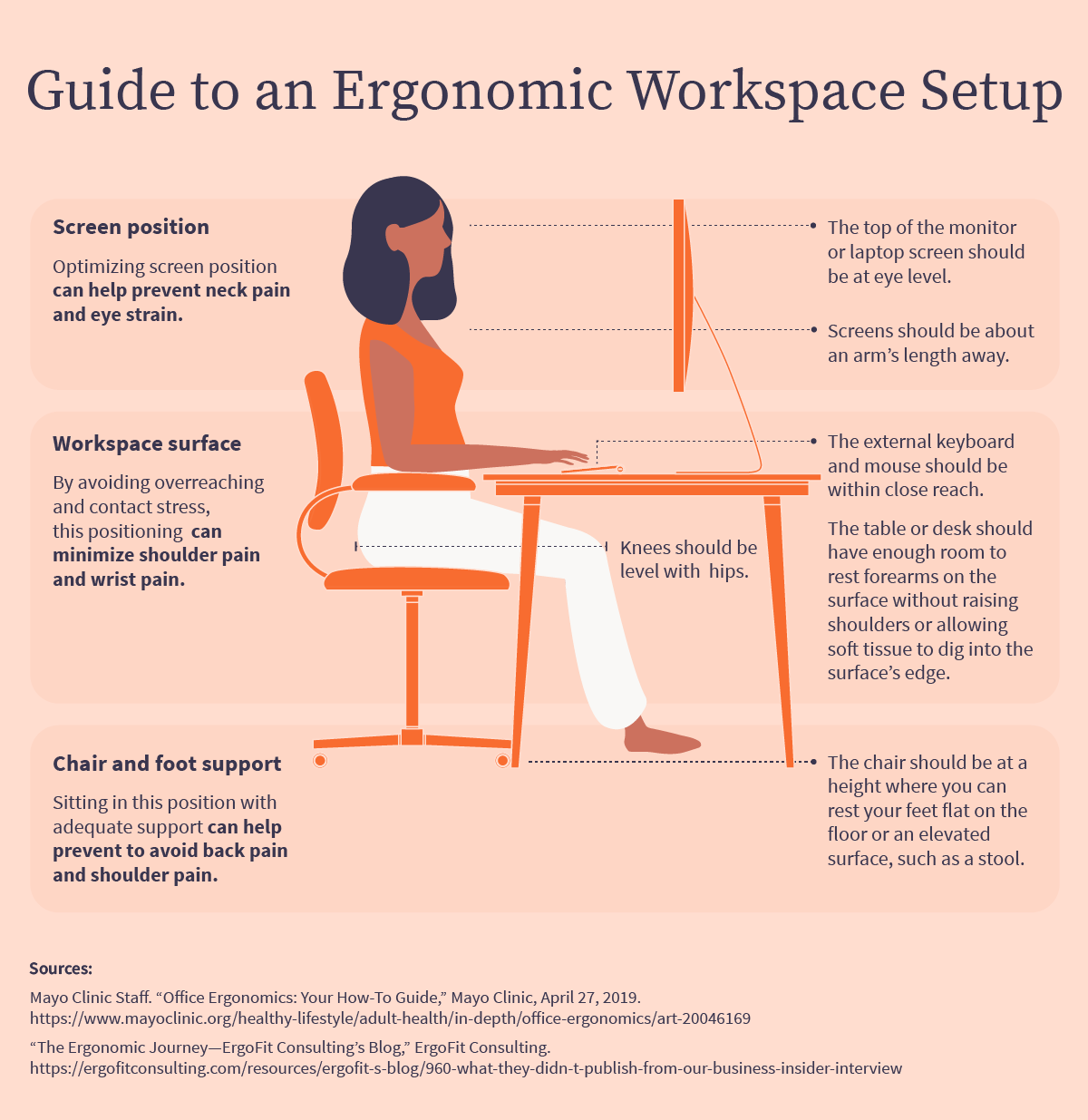
Ears over shoulders, screen at eye level, feet flat.
Want a full routine? See our Complete Posture Fix Guide with video tutorials and a 10-minute daily routine.
Video: Quick Desk Stretches Between Meetings
This 6-minute seated routine can be done right at your desk:
You just saw the data — now see yours
SitSense is a free webcam-based posture tracker that runs entirely in your browser. It measures the same 6 metrics from this study, gives you a real-time posture score, and alerts you when you start drifting — so you catch the 20-minute slouch before it becomes an 8-hour habit.
No downloads, no hardware, no credit card. See how it works or read the technical deep dive
FAQ
Is remote work actually worse for posture than office work?
Remote workers face structural disadvantages: laptops as primary devices, no IT-managed ergonomics, and fewer natural movement triggers. The comparison depends on your office setup, but the data is clear that uninterrupted sitting with a poorly positioned screen degrades posture regardless of where you work.
How often should I take posture breaks when working from home?
Our data shows measurable degradation after 20 minutes. Brain blood flow research suggests breaks every 30 minutes. Aim for a 2-3 minute movement break every 20-30 minutes.
Can a webcam really track posture accurately?
SitSense uses MediaPipe pose estimation to track 7 metrics from a standard webcam. It calibrates to your neutral posture, then measures deviations. All processing happens in your browser — no video stored. For more, see how SitSense works.
What's the best desk setup for remote work posture?
Three changes cover most of the problem: (1) raise your screen to eye level, (2) use an external keyboard with elbows at 90°, (3) feet flat on the floor. Our desk setup guide covers the full checklist.
Do I need a standing desk?
It helps but isn't required. Research shows sit-stand desks are most beneficial in the afternoon. If you can't get one, regular movement breaks achieve most of the same benefit. Our data shows the key is simply not sitting still for more than 20 minutes.
References
- SitSense Aggregate Posture Data (November 2025 – February 2026). 29,103 anonymized posture readings from 66 users across 272 sessions.
- Harvard Health Publishing. Why good posture matters more than you think.
- Mayo Clinic. Neck pain: Causes, symptoms, and relief strategies.
- Frontiers in Cognition. Prolonged sitting and cerebral blood flow: the effect of short walking breaks.
- BMC Public Health (2023). Real-time computer interaction metrics and sit-stand desk productivity patterns.
- San Francisco State University (2018). Peper, E. et al. Do better in math: how your body posture may change stereotype threat response.
Related Articles
How to Fix Your Posture: Complete Guide
Science-backed exercises, desk setup, and a 10-minute daily routine
Posture and Focus: How Sitting Affects Your Brain
The science behind posture and cognitive performance
What 540+ Hours of Posture Data Revealed
The three biggest strain drivers and how to fix them
Tech Neck: How to Save Your Spine From Screens
Deep dive into forward head posture and prevention
Same measurements
Every number above came from a webcam like yours.
104,373 readings from 205 people at their own desks, taken by the same model that would read you.
Free to start. Nothing to install.
Read next
What 540+ Hours of Posture Data Revealed
Insights from analyzing over 540 hours of real posture tracking data. Common patterns, peak slouching times, and improvement strategies.
How to Fix Posture: The Complete Guide for Computer Users
Science-backed exercises, stretches, and desk setup tips to fix your posture. Includes video tutorials and a 10-minute daily routine for desk workers.
Posture and Focus: How the Way You Sit Affects Your Brain
Research shows prolonged sitting reduces brain blood flow by up to 30%, impairing focus and concentration. Learn how posture directly impacts cognitive performance.
Tech Neck: Complete Fix Guide for Screen Users
Evidence-based guide to fixing tech neck (cervical strain from screen use). Covers the Hansraj study, device-specific angles, and the exercise protocol with the strongest research backing.
Last updated March 2026